Controllers & Remotes — Instant Control at Your Fingertips
Manage your entire space with a single press. Smart controllers, switches, and wireless remotes give you physical, instant management over your smart home devices without needing to open an app. Perfect for daily routines, they offer reliable, tactile shortcuts that maximize convenience and energy savings for homeowners and busy rental property managers alike.
- One-touch automation to trigger complex lighting, security, or climate scenes instantly.
- Versatile control options from portable wireless buttons to permanent, sleek smart wall switches.
- Accessible control for guests, children, or tenants without needing to share smartphone app access.
Popular Use Cases

Smart Scene Control
Trigger multiple smart home actions with a single button press.

Smart Lighting Control
Control lights quickly without opening an app or using voice commands.

Custom Home Routines
Activate personalized routines such as Home, Away or Night Mode.

Convenient Device Control
Control connected devices from dedicated buttons and wall switches.
Showing all 3 resultsSorted by popularity
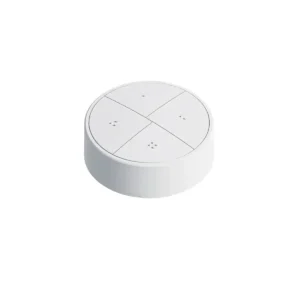
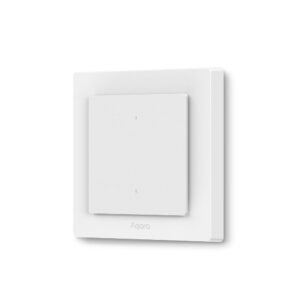
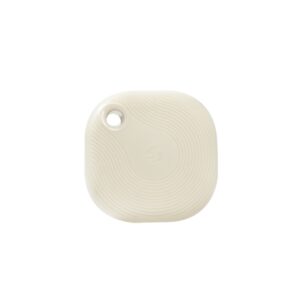
System Compatibility
🎛 Control Functions
Scenes, routines & device control
📶 Connectivity
Zigbee, Bluetooth & Matter support
🔗 Integrations
Home Assistant, Apple HomeKit & Matter
🏠 Ecosystems
Aqara Home, Shelly Smart Control & Zigbee platforms
Controllers & Remotes: Frequently Asked Questions
Most smart buttons and remotes rely on communication protocols like Zigbee, Z-Wave, or Thread (via Matter), which require a dedicated smart home hub to connect to your network. Hub-based setups ensure ultra-fast response times, long battery life, and high local reliability. However, some standalone Wi-Fi or Bluetooth smart buttons can connect directly to your router or smartphone without a hub, though they typically consume more battery power.
Smart buttons and wireless remotes act as physical shortcuts to control your connected home without needing a smartphone or voice commands. They can toggle smart light bulbs, adjust brightness, open or close motorized blinds, activate smart plugs, and control media playback on smart speakers. They are frequently used next to beds, desks, or entryways to manage entire rooms instantaneously.
Yes. Most modern smart buttons support multiple gesture triggers, allowing a single device to execute distinct commands based on how you interact with it. Standard configurations support three primary gestures:
- Single Press: Toggles a specific device (e.g., turns on a desk lamp).
- Double Press: Triggers a complex automation scene (e.g., locks doors and turns off all household lights for “Night Mode”).
- Long Press (Hold): Controls dimming cycles or adjusts smart thermostat temperatures.
Smart buttons utilizing Zigbee and Z-Wave protocols offer the highest compatibility with Home Assistant when paired with coordinators like a Sonoff ZBDongle or Home Assistant SkyConnect. Brands such as IKEA (Tradfri/Styrbar), Aqara, and Philips Hue integrate seamlessly via Zigbee2MQTT or the native ZHA (Zigbee Home Automation) integration, allowing local, cloud-free automation tracking.
While both control smart ecosystems, their installation and primary functions differ significantly:
- Smart Switch: Directly replaces a traditional, wired in-wall light switch. It requires electrical installation, connects to your home’s mains power, and controls specific hardwired light fixtures while remaining connected to your smart network.
- Smart Button: A battery-powered, wireless controller that can be mounted anywhere via adhesive or placed on a tabletop. It does not control electrical wiring directly; instead, it sends wireless signals to your hub to trigger software-based routines across any connected smart device.
