Hubs & Bridges — The Central Brain of Your Smart Home
Connect, automate, and control your entire ecosystem from one place. Link devices across different protocols to create reliable, remote-control smart solutions that maximize energy savings and simplify home or rental property management.
- Seamless cross-device communication and local automation
- Easy installation and setup for instant remote control via smartphone
- Reliable connectivity tailored for homeowners and rental property smart tech
Popular Use Cases

Centralized Smart Home Control
Connect and manage smart devices from one centralized platform.

Zigbee Device Integration
Connect Zigbee sensors, switches and relays to your smart home ecosystem.

Advanced Home Automation
Create automations, schedules and smart scenes across multiple devices.

Multi-Ecosystem Compatibility
Integrate devices with Home Assistant, HomeKit, Matter and voice assistants.
Showing all 5 resultsSorted by popularity


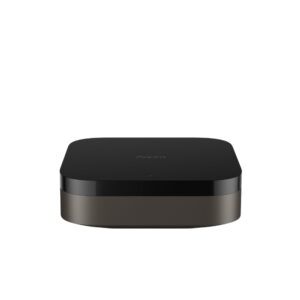
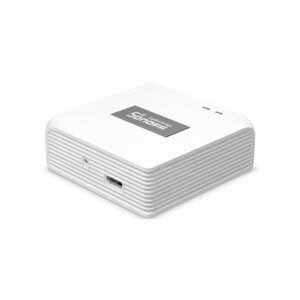
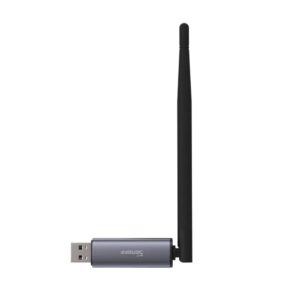
System Compatibility
🏠 Ecosystems
Home Assistant, Aqara Home & Matter platforms
📶 Connectivity
Zigbee, Ethernet, Wi-Fi & Thread support
🔗 Integrations
Apple HomeKit, Google Home & Amazon Alexa
⚡ Automation
Centralized automations & device management
Hubs & Bridges: Frequently Asked Questions
Yes, in most cases. Zigbee devices use a low-power mesh network that cannot connect directly to your home Wi-Fi. You need a Zigbee hub or bridge to translate their signals into a language your Wi-Fi router and smartphone can understand. However, some smart speakers (like specific Amazon Echo models) have built-in Zigbee hubs, eliminating the need for a separate device.
While often used interchangeably, they serve different technical roles:
- Hub: The central brain of your smart home. It connects multiple protocols (Wi-Fi, Zigbee, Z-Wave) and handles local automation and rules.
- Bridge: A device that connects two different networks (e.g., translating Zigbee signals to Wi-Fi) so a specific brand’s app can control them.
- Zigbee Coordinator: The root device of a Zigbee network that manages channels, security keys, and routing tables. Every Zigbee network must have exactly one coordinator (usually built directly into your hub or bridge).
Yes, provided they share a compatible protocol or ecosystem. Devices using cross-brand standards like Matter or Zigbee 3.0 can easily work together under a single universal hub. Alternatively, you can unify different brands by connecting their respective bridges to a central ecosystem like Apple Home, Google Home, or Home Assistant.
It depends on the brand. Hubs focused on local privacy (like Home Assistant, Hubitat, or Aeotec) can execute automations and control devices entirely without internet access. However, cloud-dependent hubs requires an active internet connection to process commands, and you will lose remote control capabilities outside your home if your internet goes down.
Our range of hubs and bridges offers universal compatibility across major ecosystems. Depending on the model you choose, they provide native support for Apple Home (HomeKit), Google Home, Amazon Alexa, Samsung SmartThings, and open-source platforms like Home Assistant. Always check the product specifications to ensure compatibility with your existing setup.
